
Perio-Restorative
Digital Facebow in Keynote
2.5 min · Free
About This Tip
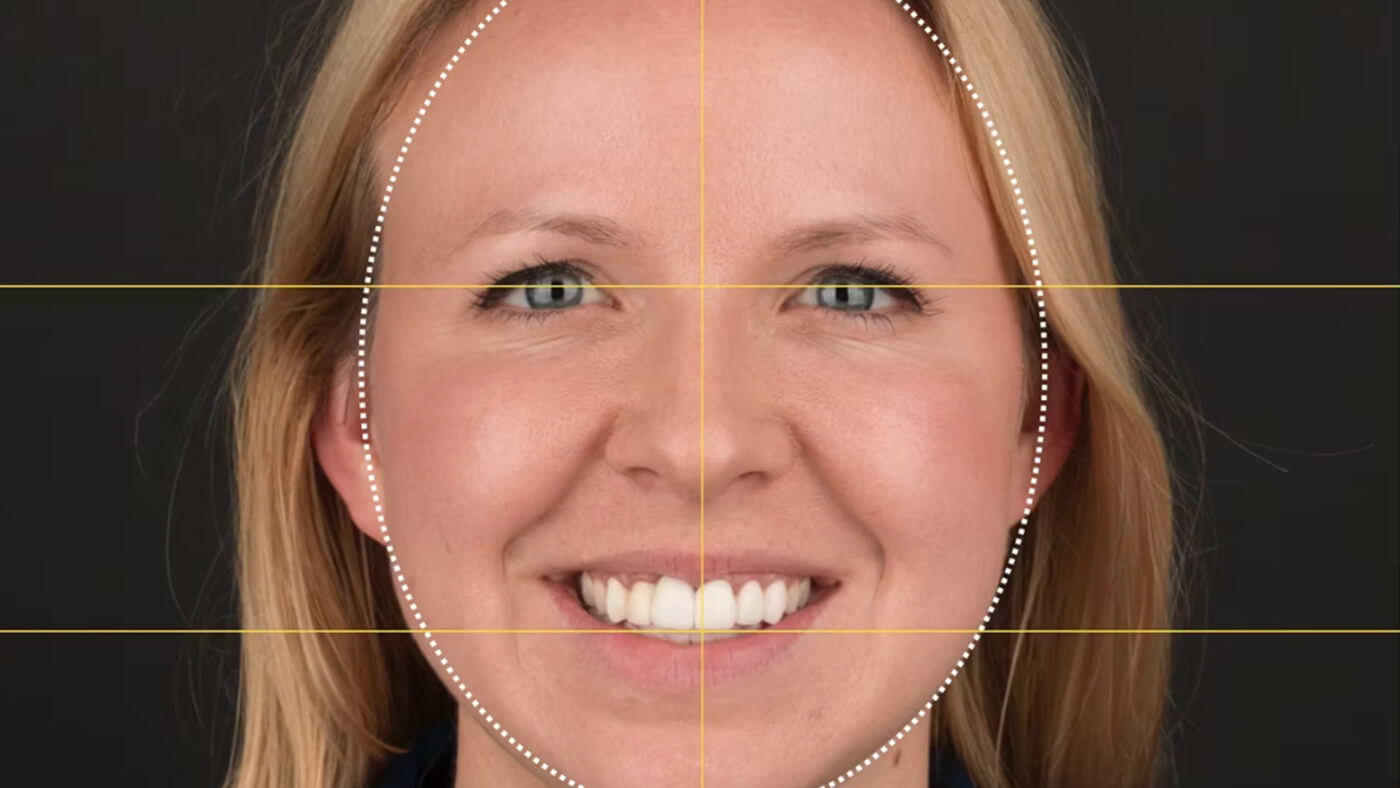
Learn how to perform a digital facebow using Keynote or PowerPoint. Follow the step-by-step instructions, beginning with selecting a photo and drawing lines to mark key points on the face. Adjust the photo's position and orientation as needed to ensure accurate alignment for further analysis. Additionally, create a customizable template for future use, streamlining the process for subsequent cases. This method offers a quick, simple, and efficient way to communicate facial measurements and alignments, facilitating effective collaboration with dental labs and enhancing treatment planning accuracy.
Want every clinical tip?
Best Value41+ Clinical Tips • 5+ Hours • Every Future Tip Included
Related Tips
Stay current
New tips, case discussions, and course news as they release — straight from Amanda.
Unsubscribe anytime.